Hay, tracked properly
Cuts, movements between farms, and feed-out — so you know what's left in the shed.
Free to start — no credit card required
BlackCow keeps your cattle, paddocks, rainfall, spraying, sales and reports in one place — built by someone who actually farms, for the work you actually do.
See it in action
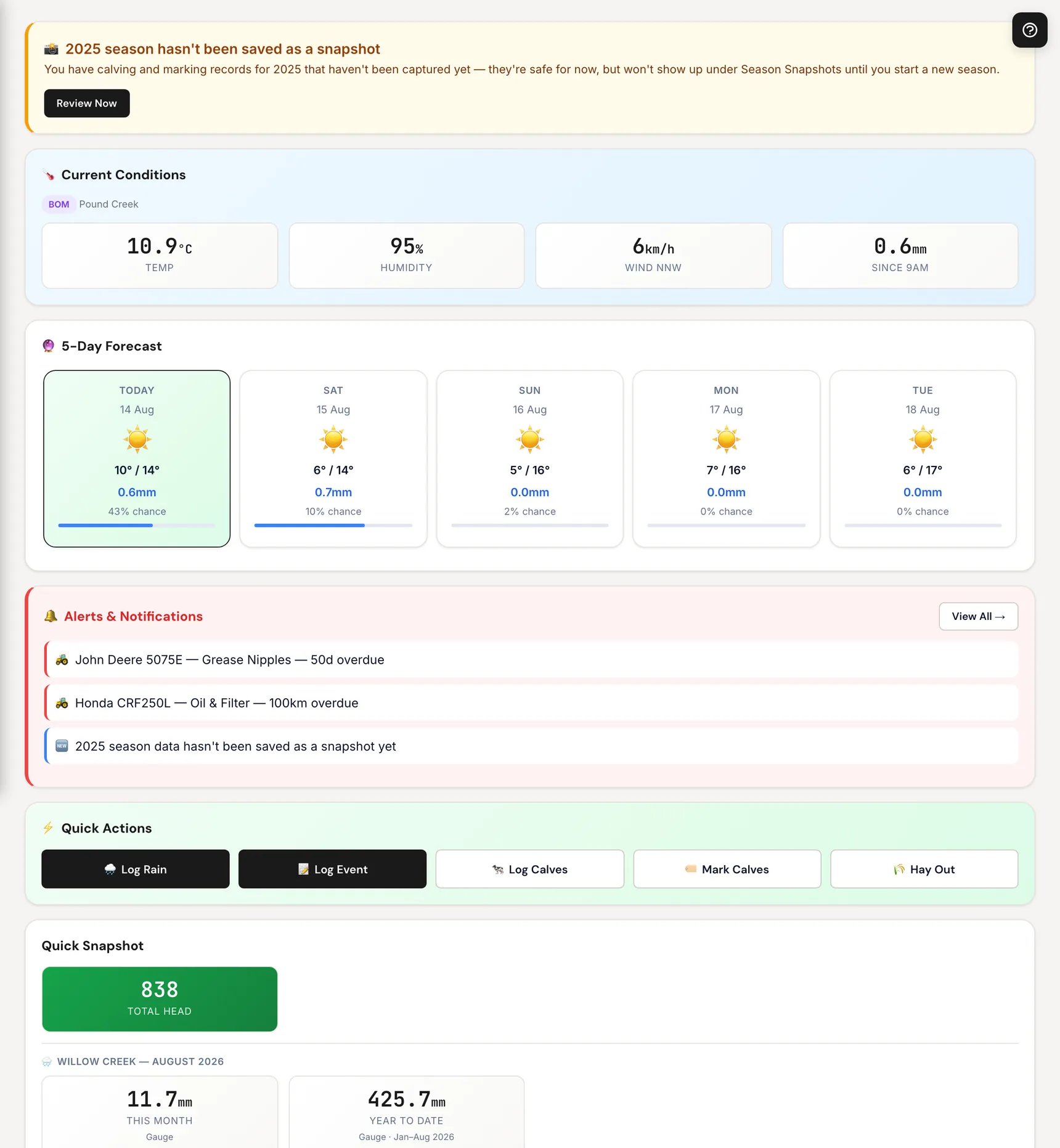
Every image below is a real screenshot of the running app — a fictional "Willow Creek" demo farm, not your data, but the actual screens.
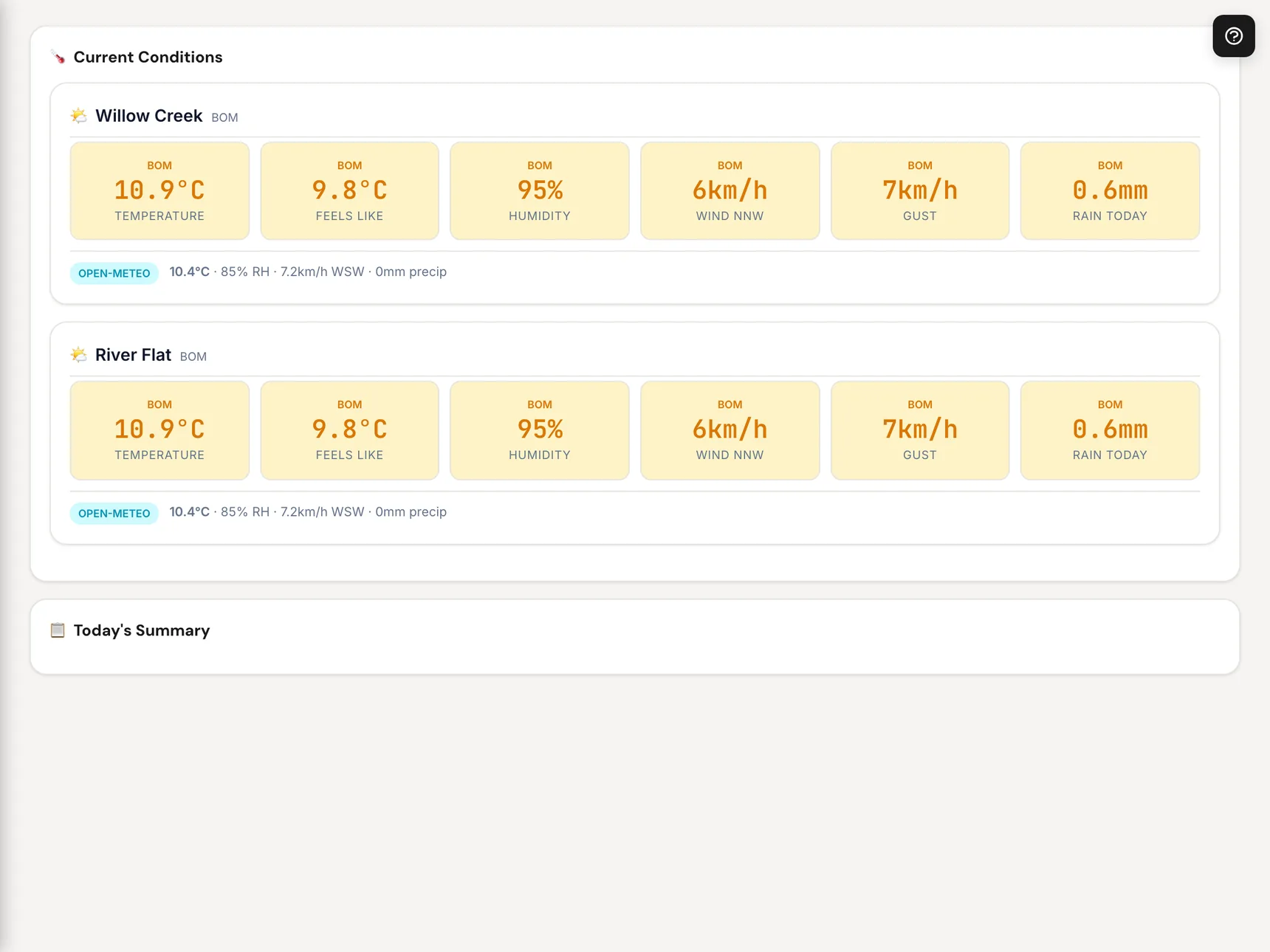
Weather & rainfall — the flagship
Drop your GPS coordinates in and BlackCow finds the weather stations around you — the BOM one, and the Weather Underground gauges your neighbours paid good money for. It plots the nearest few, does the distance-weighted maths, and works out what actually fell on your place. Read your own gauge? That wins, every time. Haven't read it yet? The blend fills in behind it. Your neighbour's $3,000 weather station is now your weather station too.
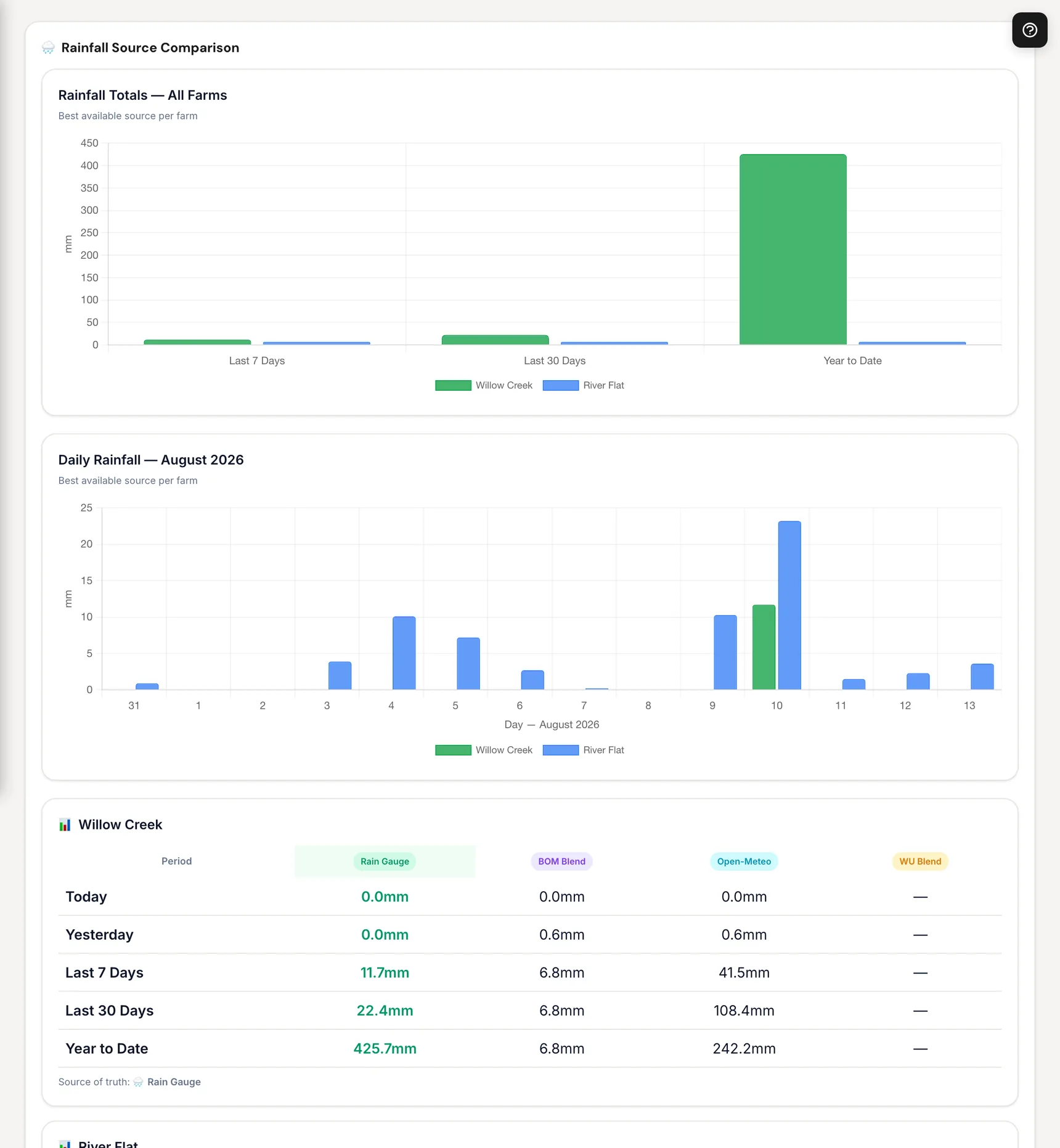
Rainfall analytics
Year-over-year comparison, monthly distribution, record years, a drought decile gauge, wet/dry streaks — the numbers you'd otherwise be guessing at from memory over the fence.
Cattle & mobs
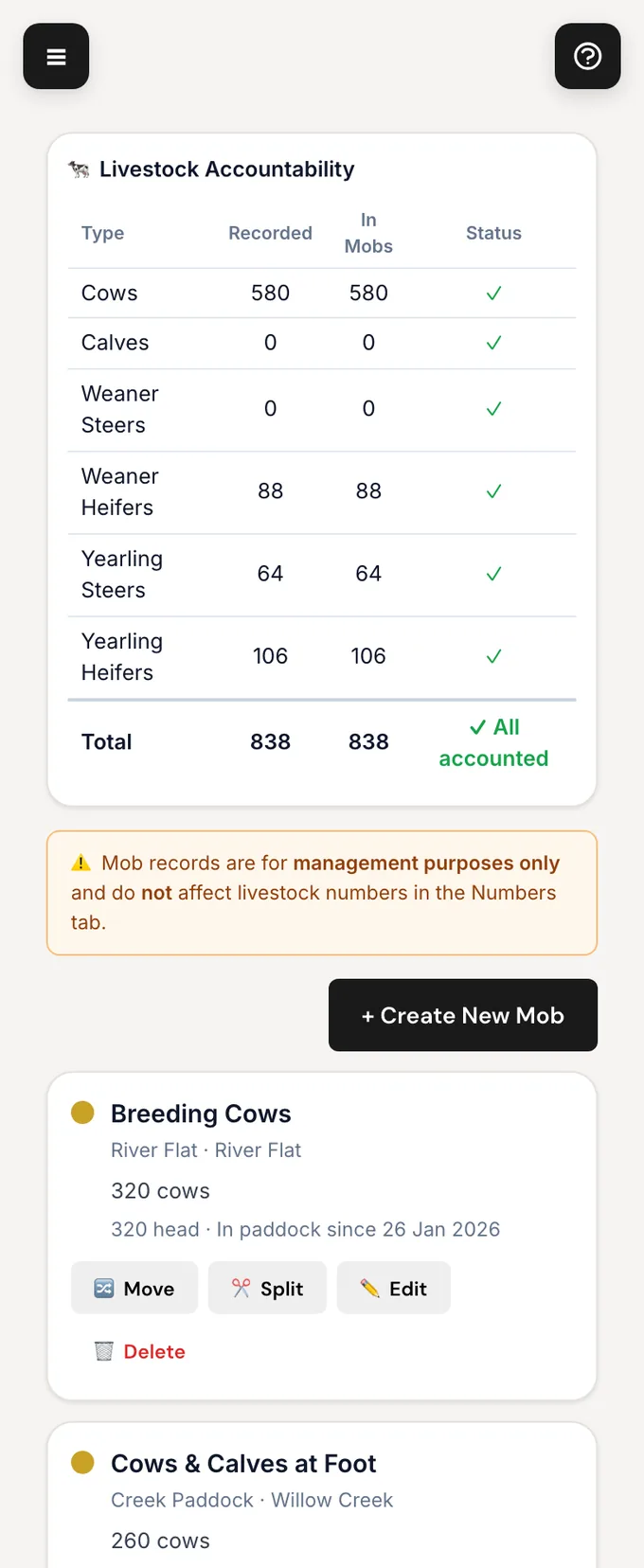
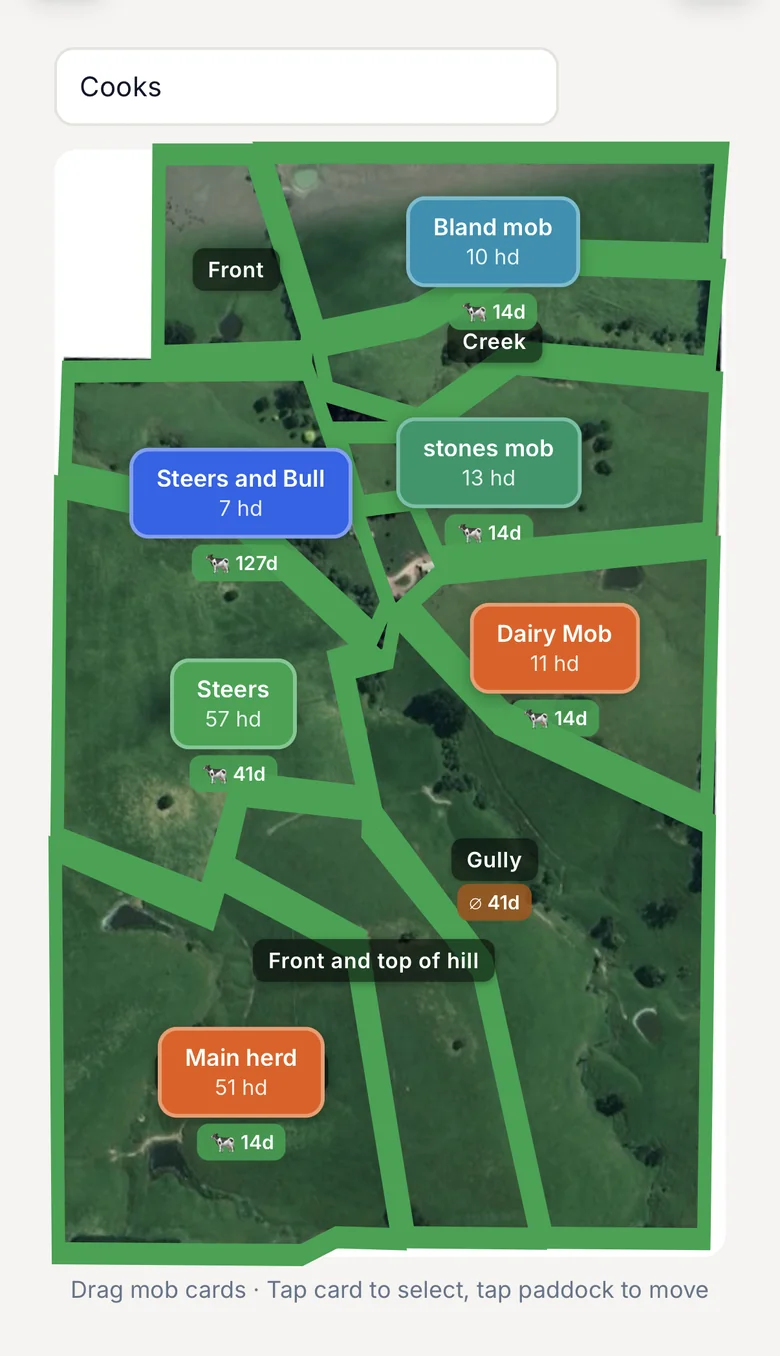
Head counts, paddock location and movement history — reconciled against your Stock Numbers automatically, so "all accounted for" is a fact, not a guess.
Stocking rate & grazing days
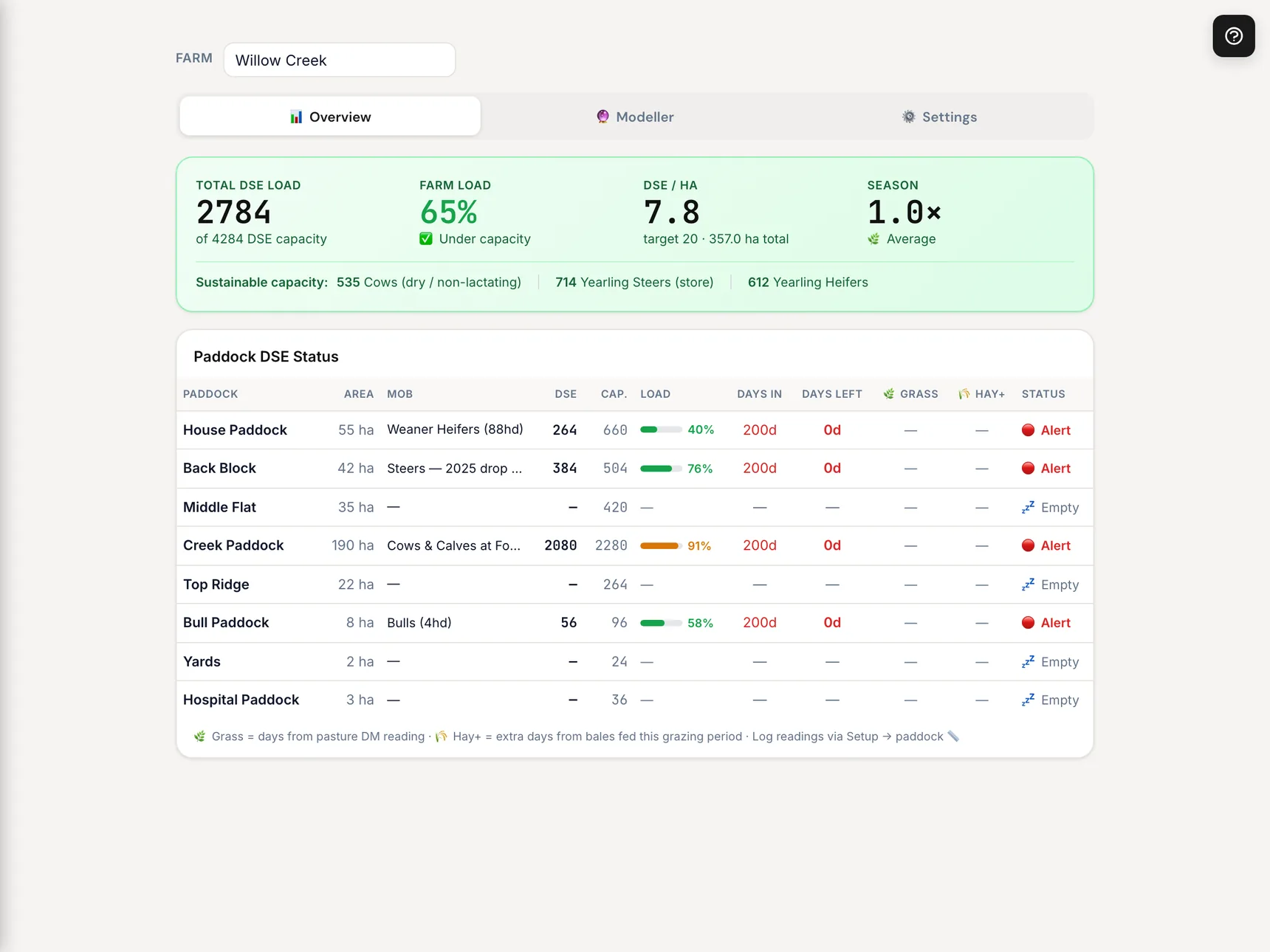
DSE load against paddock capacity, per paddock, against the same MLA benchmarks a consultant would use — done automatically from your mobs.
Spraying, treatments & WHP
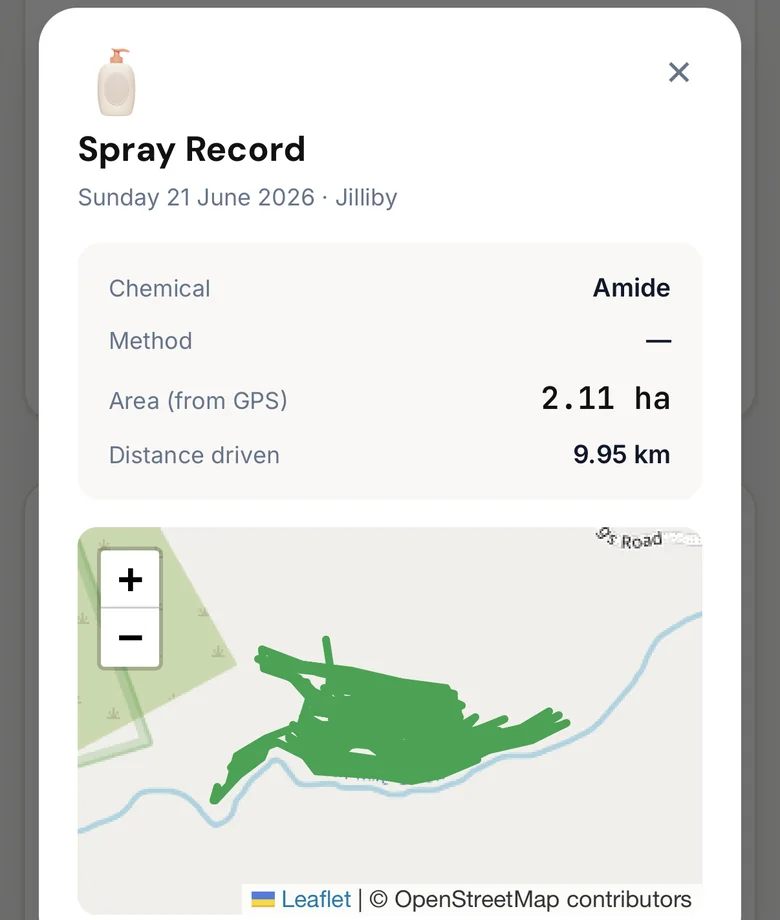
Import the GPX track off your GPS and the actual boom pass is right there on the map — real hectares and distance driven, not an estimate. Every treatment carries its withholding and export slaughter interval automatically too.
Siri voice logging
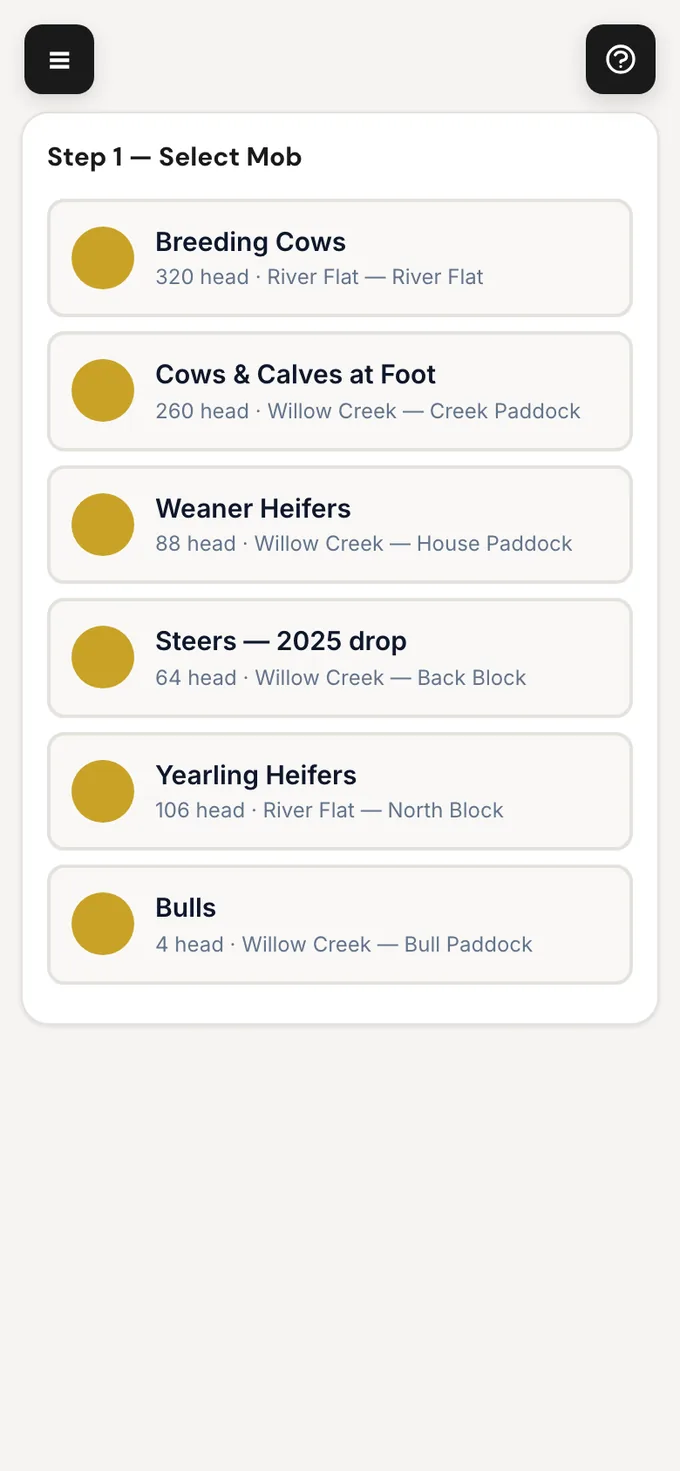
Say "Hey Siri, log farm note — 14 mil in the gauge and moved the weaners to River Flat." It lands as a draft on your Dashboard, Claude turns it into a structured record, and you approve it before anything writes to your data. It doesn't guess silently — nothing saves without your say-so.
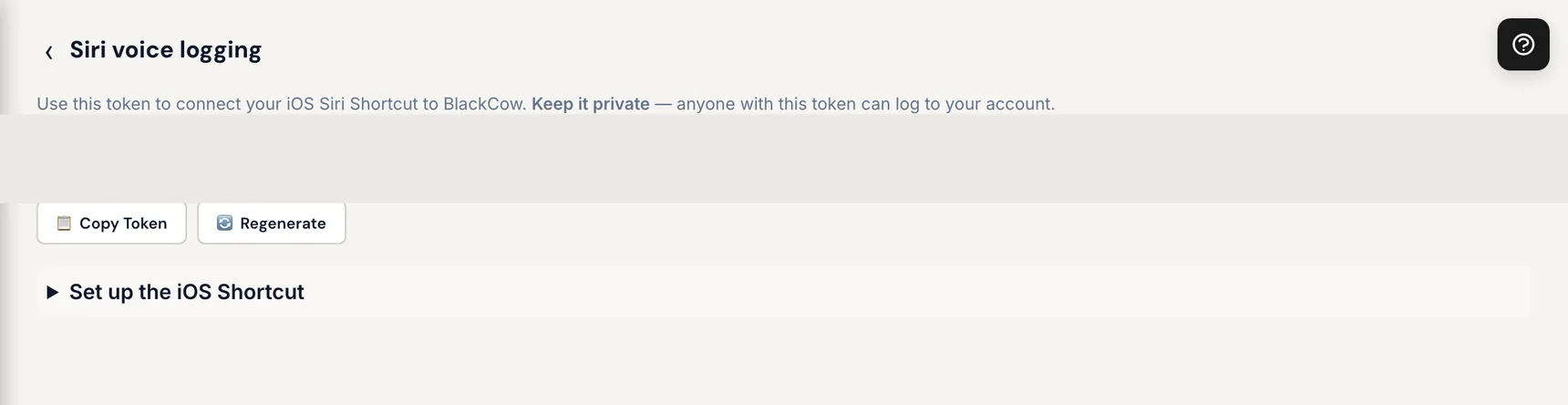
Connection token redacted — it's a private credential, same as a password.
Sales, market prices & herd value
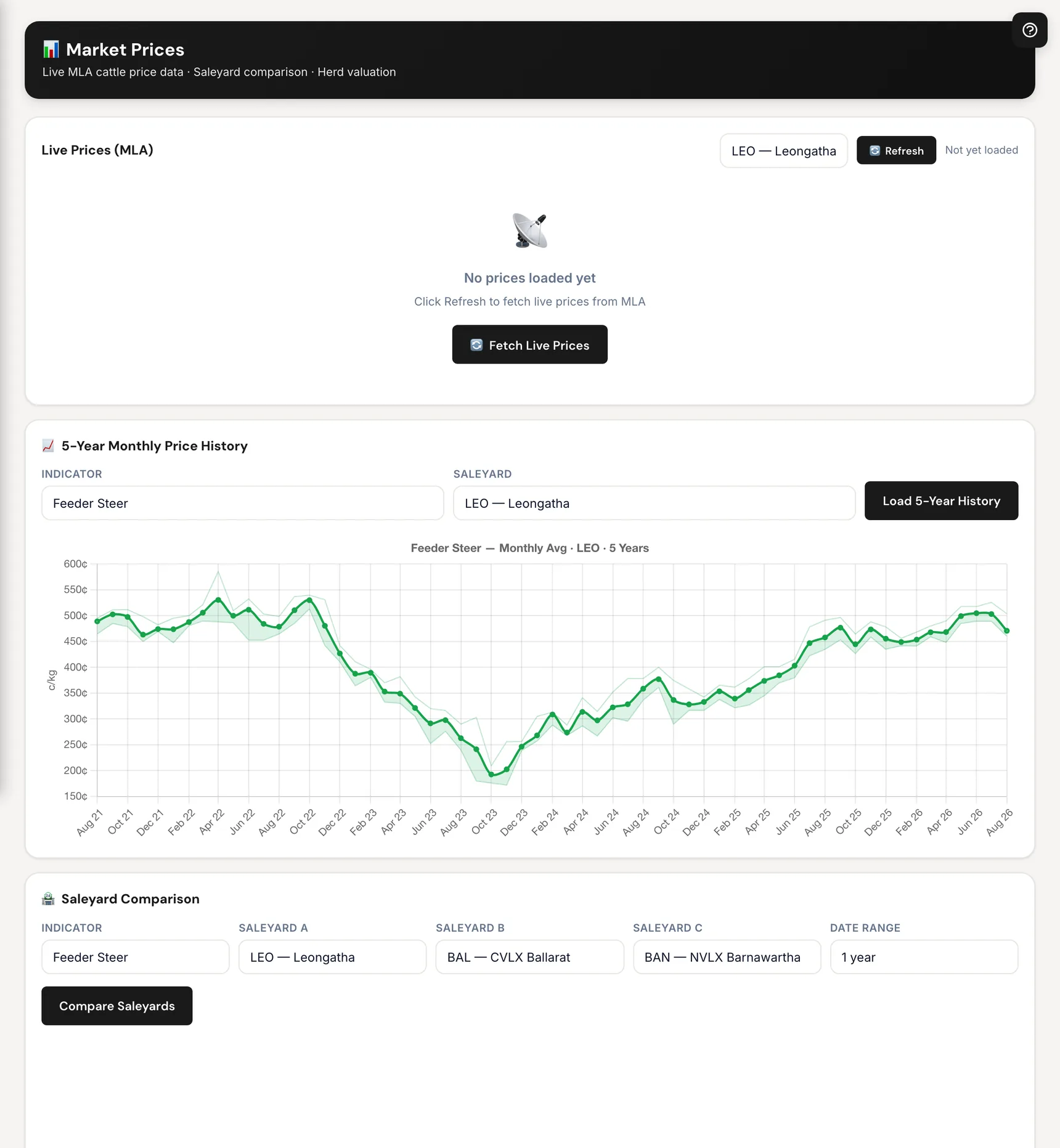
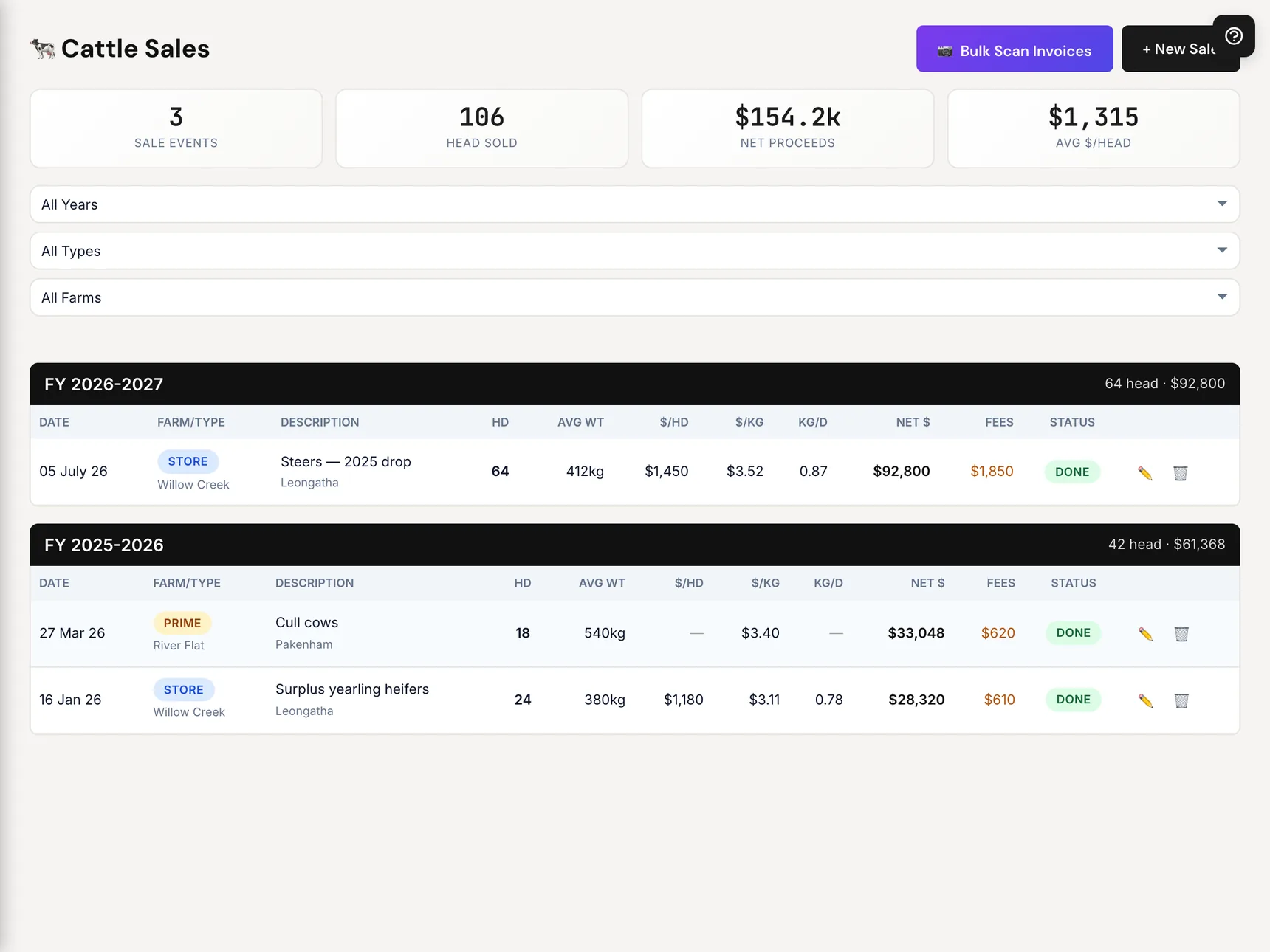
Live MLA saleyard indicators priced against your actual mobs, plus every sale on record — revenue split across farms automatically when a mob spans more than one.
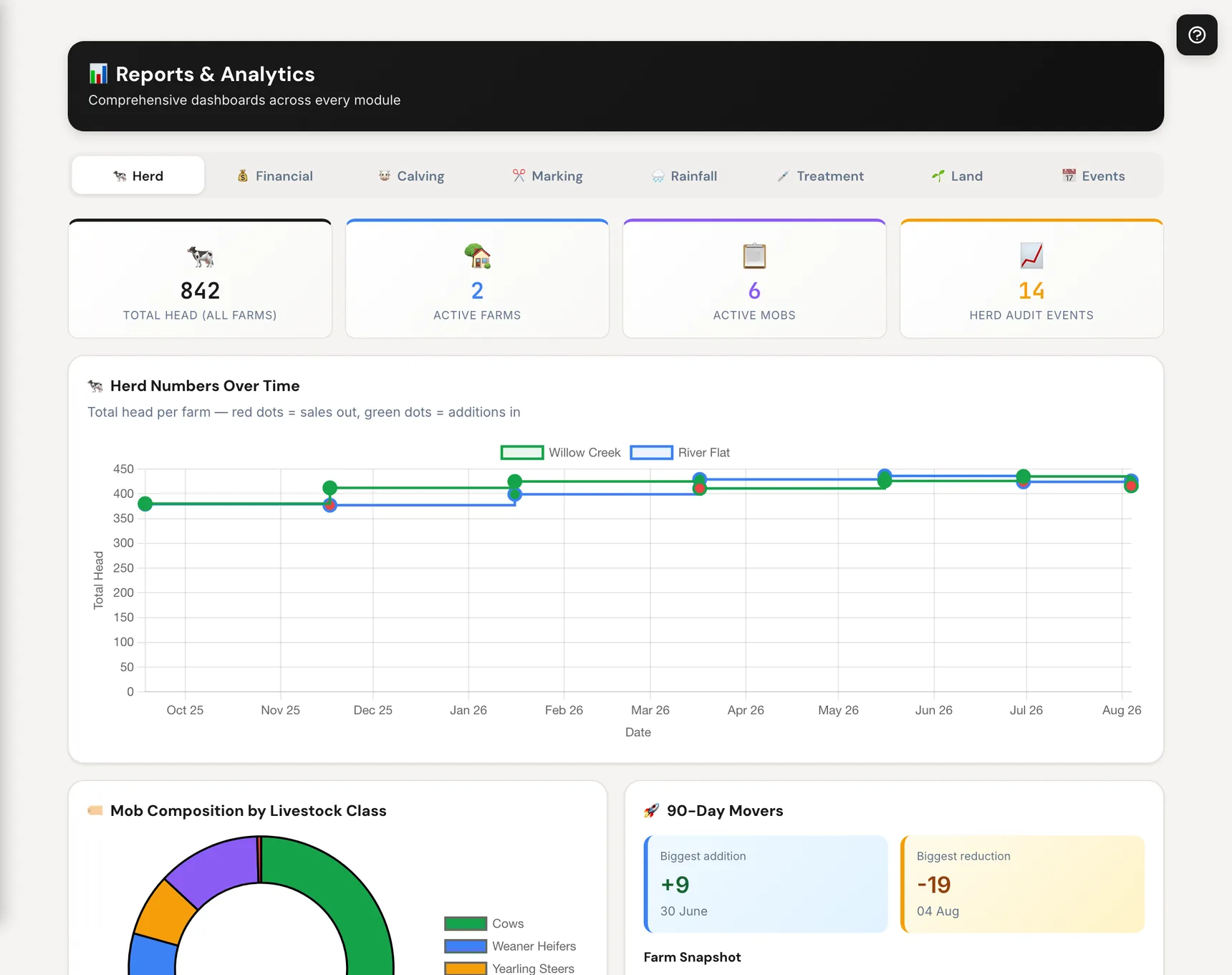
Reports & season snapshots
Sales, rainfall and herd events roll up automatically so you can see whether the season's ahead or behind — not reconstruct it in a notebook in June.
What's inside
No modules to bolt on later. It's all here from day one.
Cuts, movements between farms, and feed-out — so you know what's left in the shed.
Track jobs against paddocks, log supplier quotes, and send a quote request without leaving the app.
Steer/heifer ratios and season summaries, recorded as you go rather than reconstructed in June.
Log results as the vet calls them, with history per mob for next season's decisions.
One feed for everything due or overdue — services, withholding periods, key dates — instead of six.
Tractors, motorbikes and pumps — with editable service history and hours/km tracked by year.
Condition notes and alerts alongside the weather data that actually explains them.
Run more than one property, invite a worker with their own login and role — no shared passwords.
Installable PWA, built mobile-first, usable one-handed with gloves on a fence line — offline too.
The rhythm of it
Draw your paddocks, add your mobs, set your weather stations. Ten minutes, once.
Calving, marking, drenching, spraying, rain — enter it from the paddock, or tell Siri and let it land in the app.
The dashboard and reports fill themselves in — head on hand, rain to date, spend by paddock.
Close out the season, start the next, and see how this year stacks up against last.
Pricing
$0 / forever
$29 / month
Go over 150 head on the free tier and we'll ask you to upgrade — nothing locks or gets deleted, your records are safe either way.